How to Automate Monthly Invoice Collection from any SaaS (The Zero-API Method)

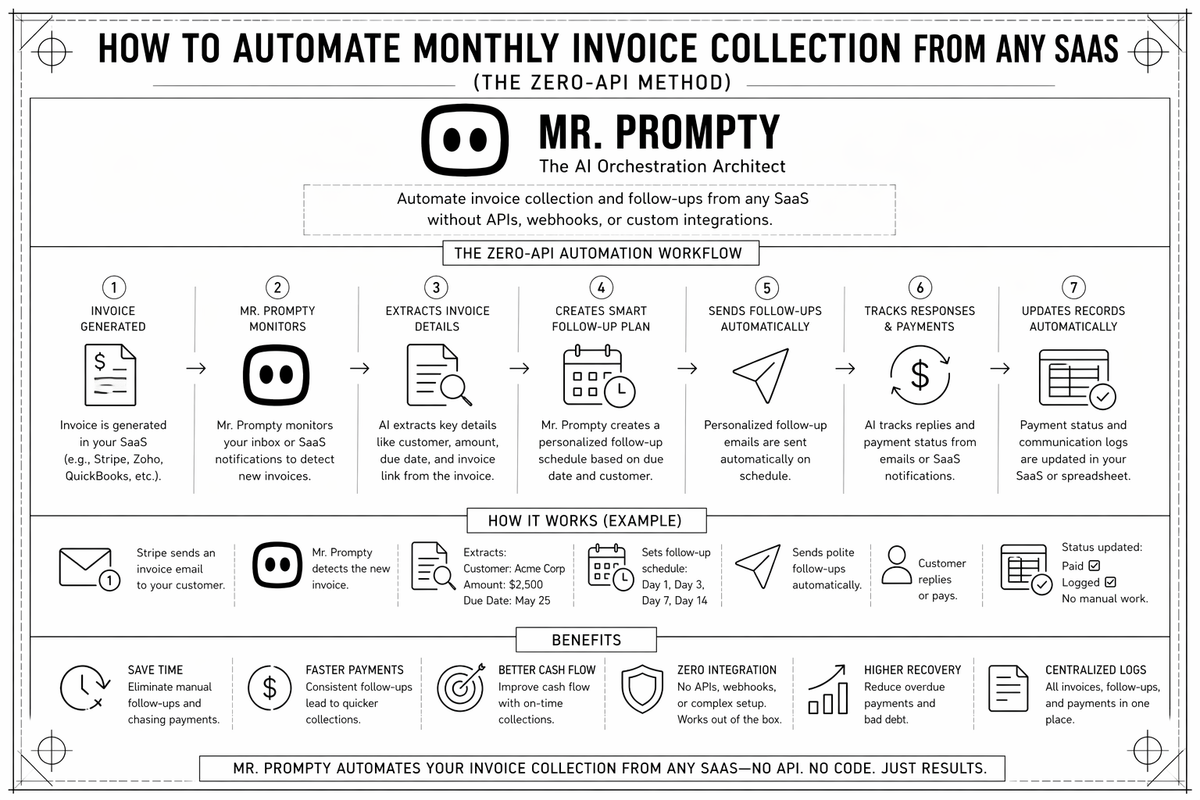
Every month, business owners and accountants waste hours on the "Invoice Chase"—logging into Sentry, AWS, Canva, and dozens of other SaaS platforms just to download a PDF and email it to an inbox.
In this guide, we’ll show you how to use a browser-native AI agent to automate your invoice collection entirely, without needing a single API key or complex integration.
The Monthly Invoice Problem
Traditional automation tools (like Zapier or Make) often fail at invoice collection because:
- API Restrictions: Most platforms don't allow you to "GET" a PDF invoice via API.
- MFA & Logins: Bots get stuck on login screens.
- UI Changes: Traditional scrapers break the second a button moves.
Mr. Prompty solves this by acting like a human in a browser. It navigates, finds the billing section, identifies the correct month, and handles the file transfer natively.
Watch the Automation in Action
How to Set Up Your Invoice Agent
How to automate invoice processing and collection.
— Vik Petrov (@bobos_hunter) April 30, 2026
Using Sentry and Gmail for the automation. pic.twitter.com/gv6LW5B6Ll
- Initialize your SaaS Credentials Using Managed Auth
Log into your provider (e.g., Sentry or AWS, Google Cloud Services) once using Mr. Prompty’s Managed Auth. This creates a secure, persistent session so the agent doesn't get blocked by login screens or MFA during its monthly run.
- Define the Navigation PathNo-Code Prompting
Simply tell the agent: "Go to Sentry, find the invoices section, and download the PDF for the most recent month." Because the agent is browser-native, it understands the UI like a human would.
- Set the Destination Gmail, Drive, or Slack
Direct the agent to your accounting destination. In our demo, we prompt: "Log into Gmail, attach the downloaded invoice, and send it to [email protected] with the subject 'March Invoice'."
- Review the Execution LogFull Transparency
Once the task is complete, review the Task Report. You can watch the agent's work via the Live Dashboard to ensure it selected the right file and sent it to the correct recipient.
Why Browser-Native Wins
By using a browser-native approach, you aren't just automating a task; you're building a resilient back-office. If your SaaS provider updates their website, you don't need a developer to fix an API integration—you just update the prompt.
FAQ: Invoice Automation with AI Agent
1. Can I automate invoices from sites with 2FA enabled?
Yes. By using Managed Auth, Mr. Prompty maintains a persistent browser session. You log in once, and the agent uses that authenticated session for future runs without requiring a new 2FA code every time.
2. Is my financial data secure when using an AI agent?
Entirely. Mr. Prompty uses isolated, audited browser environments. We never store your raw passwords; the agent simply interacts with the page UI in the same way you would. This "Zero-API" approach is actually more secure than many third-party integrations.
3. What happens if a website completely changes its design?
Because Mr. Prompty uses vision-based AI, it doesn't rely on brittle code or "selectors." If a button's color or location changes, the agent still recognizes the context of the page and continues the task. You only need to update the prompt if the entire workflow logic changes.
4. Can I send invoices directly to Xero, QuickBooks, or a Google Drive?
Absolutely. You can prompt the agent to download the invoice from a vendor and then navigate directly to your accounting software’s "Upload" portal. This creates a closed-loop system with zero manual file handling on your desktop.
Automate your invoice collection by talking to one of our experts. We will take as long as needed to make sure you understand and verify your invoices collection.